
Excel and Google Sheets
Monthly Budget Tracker Spreadsheet
$17.00

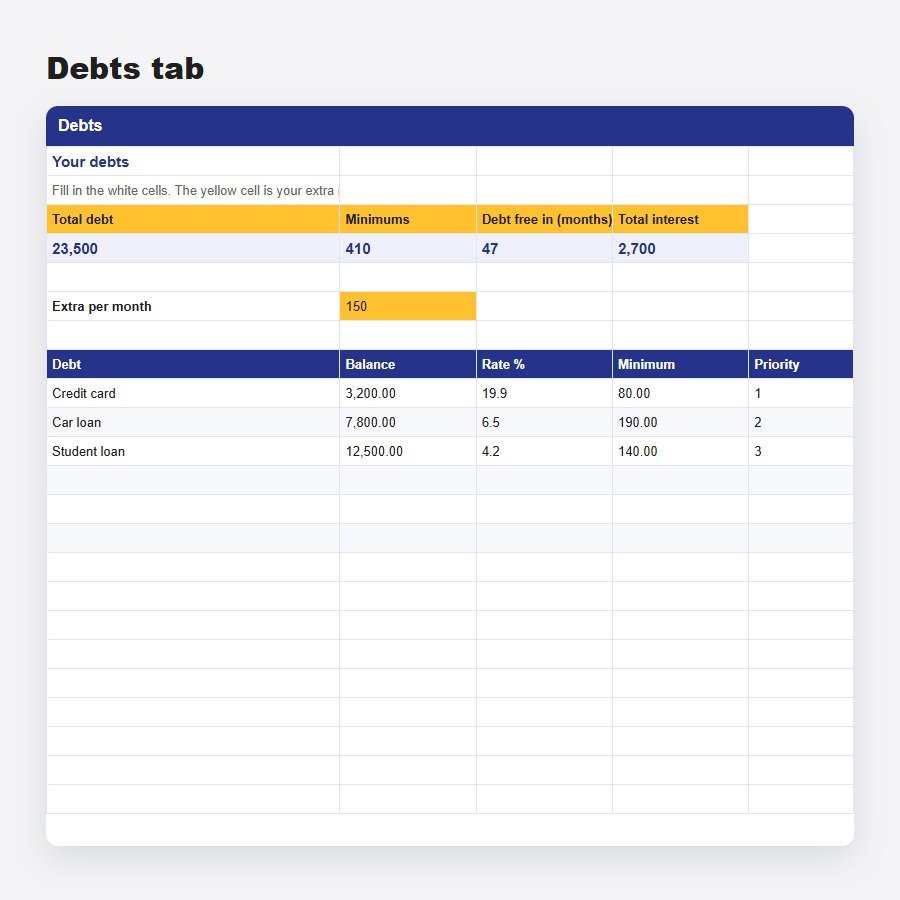

Snowball or avalanche: see the month you become debt free.
Digital product. Nothing is shipped. Your file opens on your order page straight after payment.
List up to six debts, choose the order and enter what extra you can pay. The workbook simulates 120 months, rolls each finished payment into the next debt, and shows your debt-free date and total interest.
Microsoft Excel 2016 or newer, and Google Sheets through File, then Import. If Excel opens it in Protected View, click Enable Editing so the formulas calculate.
Yes. The file is not locked, so you can rename categories, add rows and change the colors. The example lines are there to show you how it works and can be deleted.
No. This is a digital download, so you receive a file and nothing arrives by post.
Open My Orders with your order number and email and download it again.
If a file does not open or does not match its description, contact us and we will fix it or refund you. See the refund policy.


Instant downloadYour files open straight after payment
Secure paymentHandled by the payment provider, one single charge
Yours to keepNo subscription, come back to your order page any time